Why Does My Phone Get Hot While Charging?
You plug your phone in, walk away for twenty minutes, and when you pick it up the back feels like a warm mug. Is something wrong with it?
Most of the time, no. A phone that feels warm while it charges is doing something completely ordinary — charging is never a perfectly clean process, and some of the energy going into the battery always escapes as heat. But there is a line between normal warmth and a phone telling you something is wrong — and knowing where it sits can save your battery.
This guide covers the physics, the nine things that make a phone run hotter than it should, how to tell normal warmth from a warning sign, and eight fixes.
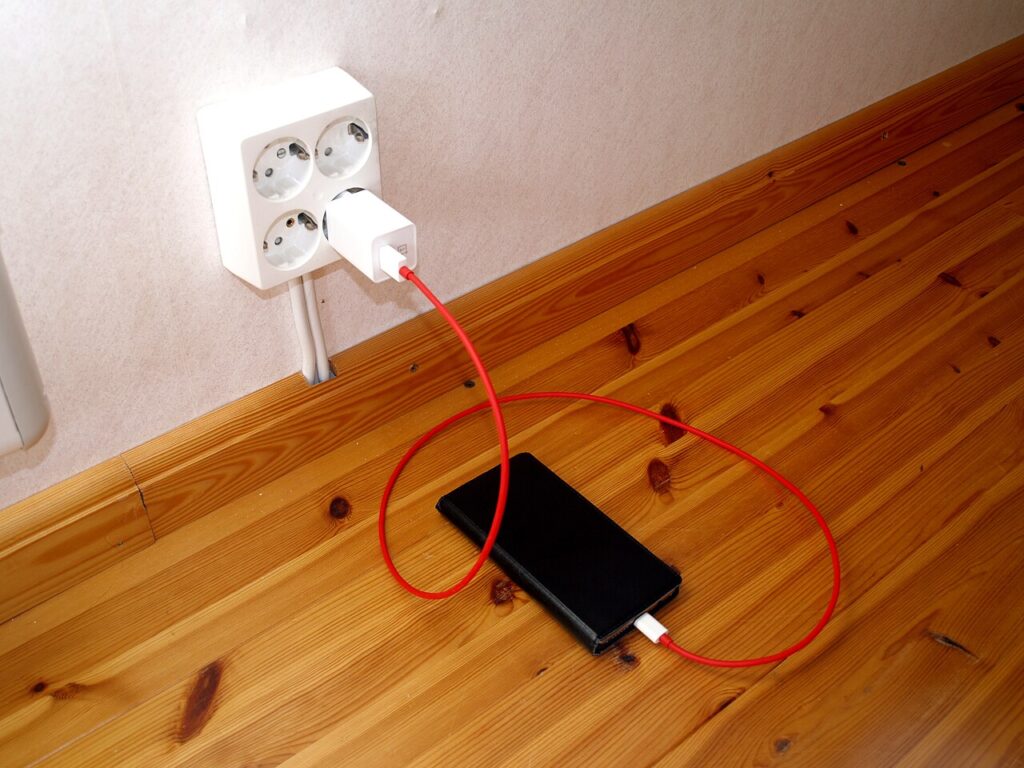
The short answer: it is physics, not a defect
Charging a phone is an electrochemical process: electrical energy flows from the wall, through the cable and the charging circuit, and gets stored as chemical energy inside the battery. That conversion is never 100 percent efficient, so some energy is always lost as heat.
The main culprit is internal resistance. Every lithium-ion battery has a small amount of electrical resistance inside it, usually between 50 and 200 milliohms in a phone-sized cell, and when current flows through it, power is wasted as heat, following Joule’s law: heat equals current squared times resistance.
That squared term matters most: doubling the current quadruples the heat. At a 3-amp current, a phone battery with 50 to 200 milliohms of internal resistance turns roughly 0.45 to 1.8 watts directly into heat — which is why fast charging runs warmer than slow charging, and why a phone feels warmest early in the charge, when it accepts current fastest, and cools as it fills up.
The charger adds its own heat too. The brick converts mains power to the low voltage your phone needs at about 90 to 95 percent efficiency, so the missing 5 to 10 percent becomes heat in the brick — which is why a fast charger feels warm even when it is working perfectly.
As the battery fills up, the phone deliberately slows the current down, which is why the last 20 percent of a charge takes longer and runs cooler. Apple confirms that the iPhone gradually reduces charging current as the battery approaches full, and its battery guidance adds that software may limit charging above 80 percent when the battery gets too warm. If the phone gets hotter still, it pauses charging altogether and shows a “Charging On Hold” alert until it cools down.
What makes your phone hotter than it needs to be
Everyday habits and conditions can push charging temperatures far higher than necessary.
1. Fast charging
Modern fast chargers push far more power to cut charging time, and because heat grows with the square of the current, the extra speed comes with noticeably extra heat. A 65W charger warms a phone far more than an old 5W brick — not dangerous on its own, but it leaves less margin when anything else adds heat too.
2. Using the phone while it charges
This is the most common reason a phone gets properly hot: charging heats the battery while demanding apps heat the processor, and doing both at once stacks the two heat sources. Gaming, video calls, or streaming while plugged in makes the processor, screen, and radios generate heat at the same time the battery heats up, and the phone can only shed heat as fast as its body allows.
3. A thick case
Phones lose most of their heat through the back glass and metal frame, and a thick silicone or plastic case acts like a blanket over exactly those surfaces. Apple notes that charging inside certain cases may generate excess heat, which can affect battery capacity.
4. Charging under a pillow or on a bed
Phones release heat while they work, so charging one in a tight space or on a soft surface — a bed, a couch, under a pillow — leaves the heat nowhere to go. Fire-safety agencies warn that the under-the-pillow habit is one of the biggest residential fire risks with phones: bedding is insulation, and the phone keeps producing heat all night.
5. A cheap or damaged charger or cable
Low-quality or damaged chargers can deliver inconsistent voltage, which increases resistance and heat, and a frayed cable or loose connector can do the same. Use the charger and cable that came with your phone, or a certified replacement — worth the small extra cost. If a cable feels warm at the plug, or the phone charges in fits and starts, replace it.
6. A hot room or direct sunlight
A hot place adds ambient heat on top of charging heat. Direct sunlight, a closed car, or a warm room can push the phone past safe levels. Apple designs iPhones for use between 0 and 35 degrees Celsius, and warns that air temperatures above 35 degrees can permanently reduce battery capacity, and that charging in high ambient temperatures can damage it further.
7. Wireless charging
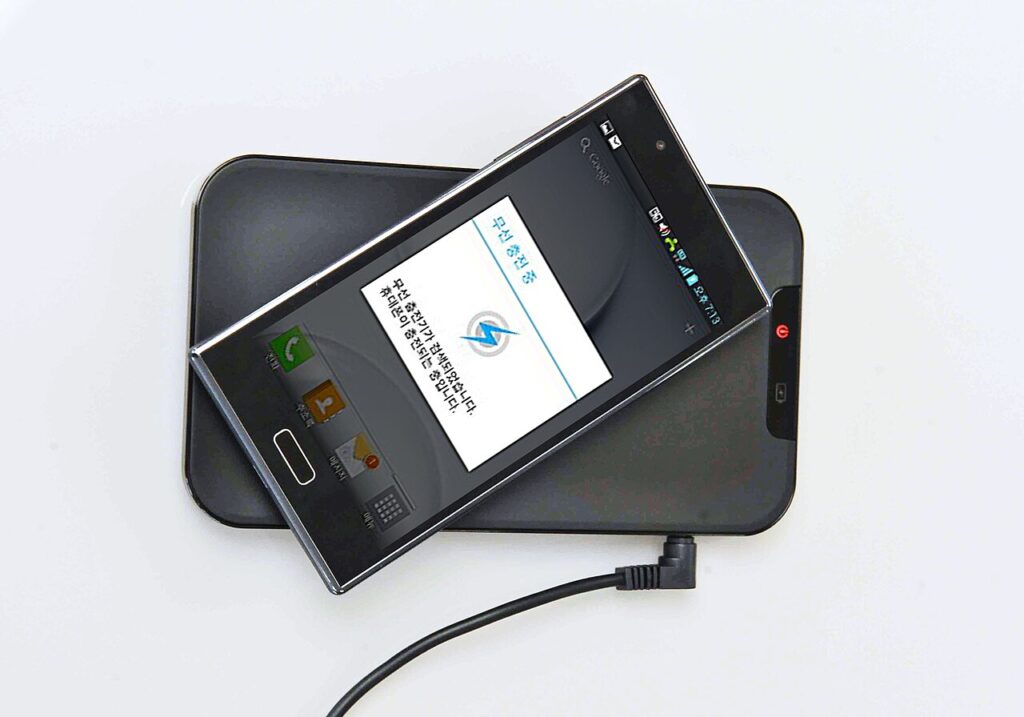
Wireless charging is convenient but less efficient than a cable: more energy is lost as heat, and the phone sits flat on a pad that blocks airflow underneath. If your phone always runs warm on its pad, try a cable for a few days and compare.
8. Background apps or malware
An app stuck in a loop, a big update downloading, or in the worst case a malicious app mining cryptocurrency in the background can keep the processor working nonstop. If your phone is warm at idle, check battery usage in your settings to see which app is eating power — our guide on why your phone battery drains so fast walks through the usual suspects.
9. An aging battery
A lithium-ion battery’s internal resistance roughly doubles after 500 to 800 charge cycles, which doubles the charging heat for the same current — so a two-year-old phone can suddenly run much hotter on the same charger it used happily for a year. If the heat crept up gradually on an old phone, battery age is a prime suspect, and a replacement is usually far cheaper than a new phone.
Normal warmth vs a warning sign
| What you feel | What it usually means | What to do |
|---|---|---|
| Barely warm | Normal for any charge | Nothing. This is how charging works. |
| Noticeably warm, 35 to 40 degrees | Normal while fast charging or using the phone | Take the case off, stop using it, let it finish. |
| Hot to the touch, uncomfortable to hold | Too hot — something is adding heat it should not have. | Unplug it, remove the case, move it somewhere cool, and work through the fixes below. |
| Hot even when idle and unplugged | A fault, not charging. | Stop using it and have the battery checked. |
| Back bulging, screen lifting, smell, or hissing | Dangerous. The battery is failing. | Stop charging and using it at once. Have it checked by a professional. |
Two rules of thumb cover most situations. If the phone is too hot to hold comfortably, it is already beyond normal operating temperature — unplug it and let it cool. And heat that appears without a charger attached, or after a drop or water contact, is never normal charging warmth. That is a fault, and it deserves a repair shop, not a second chance.
What the heat actually does to your phone
Heat is the battery’s biggest enemy. Lithium-ion cells age much faster at high temperatures, and the damage is permanent: lost capacity does not come back.
Above roughly 40 degrees Celsius sustained, the reactions that eat away at battery capacity accelerate rapidly, and every 10 degree rise above room temperature speeds up that wear. A phone that regularly gets hot while charging will hold less charge sooner: heavy fast charging, a thick case, and gaming while plugged in can leave a one-year-old phone with the battery life of a three-year-old one.
Heat also makes the phone protect itself: iOS and Android pause or slow charging and cut processor speed when temperatures climb, showing up as sudden dimming, lag, or a “Charging On Hold” alert. It is defending itself — let it cool rather than forcing it to keep going.
Left unchecked for months, chronic overheating can build gas pockets inside the battery cell, pushing the screen or back outward. A swollen battery is the clearest visible sign of heat damage and the most urgent: stop using the phone and get it replaced. And in the worst case, a phone or charger that cannot vent its heat can scorch skin or ignite bedding — which is why the under-the-pillow habit is worth breaking tonight.
8 fixes that actually work
- Take the case off while charging. This alone can drop the temperature several degrees, since the phone sheds heat through its back and frame and a case blocks exactly that. Put it back on when you unplug.
- Charge on a hard, cool surface, out of the sun. A desk or a table, not a bed or a sofa, away from radiators — and on a hot day, the coolest room in the house.
- Leave the phone alone while it charges. No gaming, video calls, or long streaming sessions while plugged in. A call or a message is fine; a game is not.
- Use the charger and cable it came with, or a certified replacement. Cheap no-name chargers and frayed cables are a common cause of excess heat, and a damaged cable or a warm plug means it is time to replace it.
- Slow the charge down overnight. You do not need 65W at 2 a.m. Most phones let you turn fast charging off in battery settings, and iPhone 15 and later models can cap charging at 80 percent. A slower overnight charge runs cooler and is kinder to the battery.
- Find out what is running in the background. Open battery usage in your settings and look for anything using power that should not be. Close heavy apps, let big updates finish before you plug in, and run a malware scan if the phone is warm for no clear reason. While you are at it, free up space on your phone — a phone that is nearly full works harder in the background, and that extra load adds heat.
- Charge to 80 percent when you can. The last fifth of a charge is the slowest part of the cycle, and batteries spend the least time under stress when they are not held at 100 percent. Topping up during the day beats one long overnight charge to full.
- If an old phone suddenly runs hot, get the battery checked. A battery that has done 500 or more cycles has roughly double the internal resistance it started with. A replacement is usually inexpensive, and it can make an old phone feel new again — cooler charging included.
Is it normal for a phone to get hot while charging?
Yes, some warmth is completely normal, especially with fast charging. Charging is never perfectly efficient, so some energy always becomes heat, and the phone is warmest early in the charge, when current is highest. Worry only when it is too hot to hold, or stays hot after you unplug it.
Can a hot phone explode?
With an intact battery, it is extremely rare. The realistic risks are early battery wear, a swollen battery, and in the worst cases, burns or fire if heat cannot escape. Stop using a phone at once if the back bulges, the screen lifts, it smells of chemicals, or it hisses — those are signs of a failing battery, and it needs a professional.
Should I take my phone case off while charging?
Yes, especially a thick one. Phones shed heat through the back and frame, and a case traps it — Apple says charging inside certain cases can generate excess heat. Take it off to charge, then put it back on.
Does fast charging damage the battery?
It adds heat, and heat ages batteries faster, so it is not free. But phones slow the current as the battery fills, so occasional fast charging is fine. Overnight, a slower charger is an easy way to cut the heat and stretch the battery’s life.
Why does my phone get hot even when I am not using it?
Usually a background app, a stuck process, a big update, or an aging battery. Check battery usage in your settings, run a malware scan if nothing explains it, and if the phone is two or more years old, have the battery checked — its internal resistance roughly doubles after 500 to 800 cycles.
The bottom line is simple: a warm phone on the charger is physics doing its job. A hot one is usually one of nine fixable things: fast charging, using it while it charges, a thick case, a soft surface, a bad cable, a hot room, wireless charging, a runaway app, or an old battery. Fix the easy ones first, and the phone will soon tell you whether it was a habit or a hardware problem.